
Are you thinking about renting a car for your time in Phoenix?
I’ve spent time in Phoenix as a tourist and a student, dating all the way back to 1998! My parents live here and we visit them at different times during the year.
Our most recent trip was over the holidays – 3 kids, me, and my husband. We rented a Hyundai Santa Fe for 17 days for our time in the Phoenix area. The entire proccess – from renting online to pickup to return – was smooth and easy.
Let’s take a look at what it’s like to rent a car at the Phoenix airport. I hope this helps you picture the process – from pick up to return.
Before you click on the ‘submit’ button to rent a car, know that you may not need to rent a car for your Phoenix trip.
This page contains affiliate links. If you purchase from the links, we may earn a small commission, at no extra cost to you. Please see our Disclaimer for more information.
Renting a Car vs. Using Public Transport While You’re in Phoenix

RENT A CAR IN PHOENIX IF:
- You’re planning on leaving the city center. Anywhere outside of the city center (meaning suburbs and other cities) aren’t easily accessed via public transport. You’ll want your own wheels for Arizona exploration!
- You’ll be in the city center but at strange hours (for example, your flight lands at PHX late). Your timing may not match up with public transport schedules. Good To Know: There are 24-hour rental options at the PHX airport.
- You’re traveling with kids or a lot of luggage. Transporting children and bags can be hectic and stressful on by public transport. You may want to keep everyone and everything ‘contained’ in your own vehicle. Plus, it’s easier to stop for a potty break if you’ve got your own car!
- You’re visiting in the summer and really don’t want to deal with standing around in the heat. We used public transport on our trip and got quite sweaty. No big deal because we were toodling around as tourists, but if you need to look sharp and feel fresh (business trip, wedding, big date, etc), you may want to rent a car.
SKIP RENTING A CAR IN PHOENIX IF:
- You’re spending your time in the city center (for example, you’re in town for a Phoenix Mercury WNBA game or a Phoenix Suns NBA game). You can utilize Phoenix’s public transportation (like the buses, the Valley Metro rail, and the PHX Airport Sky Train).
- You’ll be able to travel during the operating hours of Phoenix public transport (see the Valley Metro website for the up-to-date hours and days of service).
- You’re visiting a resort in the Phoenix area and just need transport to/from the resort. You can price out options to arrive by taxi or rideshare (like Uber).
I like to use a search consolidator like DiscoverCars.com or AutoEurope.com.
I recommend checking both of those and the individual car rental companies for the best prices and vehicle availability.
On this recent trip to Phoenix, I rented our car through DiscoverCars.com.
Renting a Car at the Phoenix Airport vs. Another Location
I prefer renting cars at the Phoenix airport (even if it’s slightly more expensive) because I don’t have to worry about spending time or $ to get to an off-site rental office.
I also looked at off-site locations for our recent Phoenix rental and the availability and prices were better at the airport.
However, if you have time to spare and you’re only traveling with adults, off-site is definitely an option you should look into. I’ve got three kids so with luggage and car seats I’d rather just rent at the airport and preserve my sanity.
Things to Know About PHX Car Rentals
Electric Vehicles – A couple of agents told me they discourage electric car rentals, especially during the summer when soaring temperatures lead to increased air-conditioning usage and drain on the battery. They recommended electric vehicle rentals in Phoenis only outside of summer and for shorter drives.
Good To Know: One of the most common mistakes made when booking a car at the PHX car rental center is accidentally reserving an electric car. This happens when the car rental booking website doesn’t display clearly if a car is electric or not. For example, you may see a KIA Niro listed, but it’s not marked as electric – you just need to know that the Niro is an electric vehicle. Many websites do label a car as electric, but double check if you’re unsure.
Car Seat Rentals – The agent I spoke to said they’d only run out once in her experience. Rentals can be expensive, and you don’t know the car seat’s history. So, if you can, bring your own.
Navigation – Most vehicles have a USB port (typically USB-C), but you’ll need to bring your own cord. Many vehicles now offer cordless charging and Bluetooth for connections to Apple Car Play (our Hyundai Santa Fe had this) or Android Auto.
Vehicle Damage – The PHX Car Rental Center uses AI to check the vehicles for damage. You can still take photos and videos of any damage you see, just in case.
Insurance – Do your homework before you arrive at the car rental desk. Arizona is a ‘loss of use’ state. I purchased insurance through Discover Cars when I made the vehicle booking (but note that this requires you to pay for damage and then be reimbursed).
Helpful Tip: If you’re using your credit card company’s rental car insurance coverage, check the fine print. Agents here at the PHX airport told me that some insurance won’t cover large cars, will only cover a few days of rental, etc.
Traffic – The Phoenix area has typical traffic during commute times. It’s a typical rush hour, but nothing like you’d see in places like California. There are some really jammed roads during commute times like the AZ-347. Plan accordingly.
Gas Fill Up For Return – If you need to fill your car up before returning it, don’t go to the nearby Shell (expensive). You can use other nearby stations like the Circle K on Buckeye and 7th (that’s the one I used).
Getting to the Phoenix Car Rental Center
Once you’ve landed at the PHX airport:
- Get your luggage at the carousel
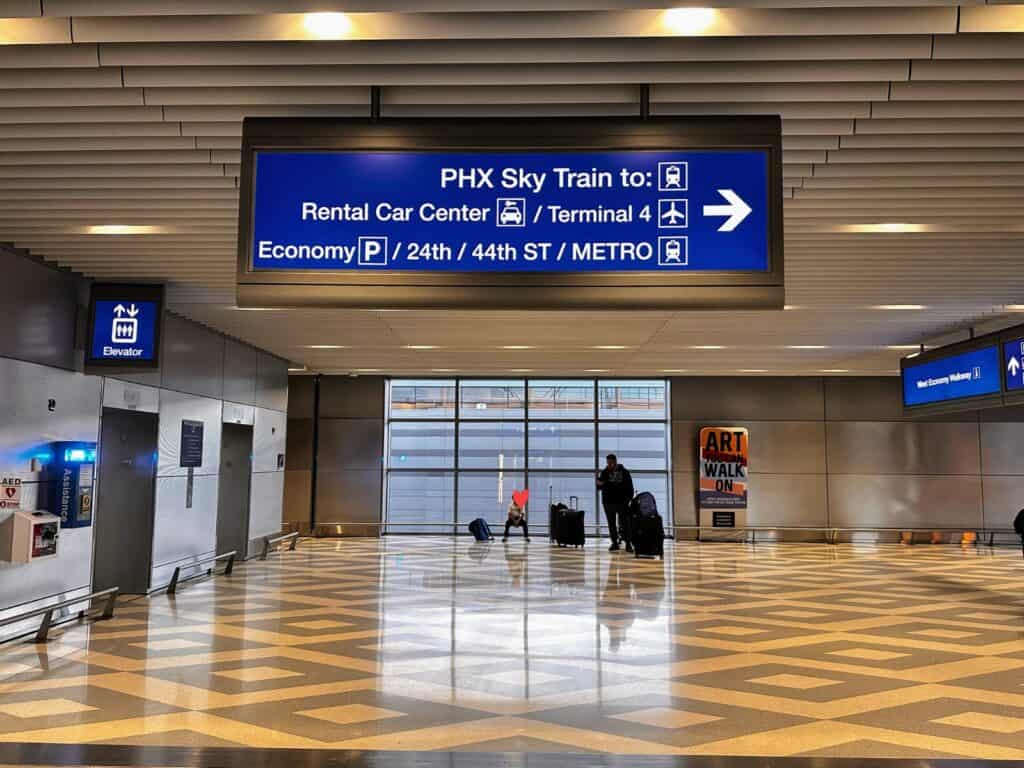
- Exit the baggage claim area and follow the blue signs for ‘PHX Sky Train to Rental Car Center‘
- Take the Sky Train to the Rental Car Center Station – DO NOT get off on one of the earlier stops!
Good To Know: There are toilets at the entrance to the Sky Train, at the top of the escalators.
Good To Know: If you don’t want to navigate the escalators up to the Sky Train with kids/luggage, you can take the elevator.
Heads Up: Don’t forget to take all of your luggage when you get off of the Sky Train. We accidentally left a backpack on the Sky Train on another trip this past summer and we never found it.
Good To Know: It’s not hard to get to the rental center but if you’ve got a lot of kids or luggage you could send the driver to pick up the car and then have him/her drive back to your arrivals terminal to pick up the group. If you decide to do that, take a peek at traffic on Google Maps to make sure you won’t be driving into a traffic jam.

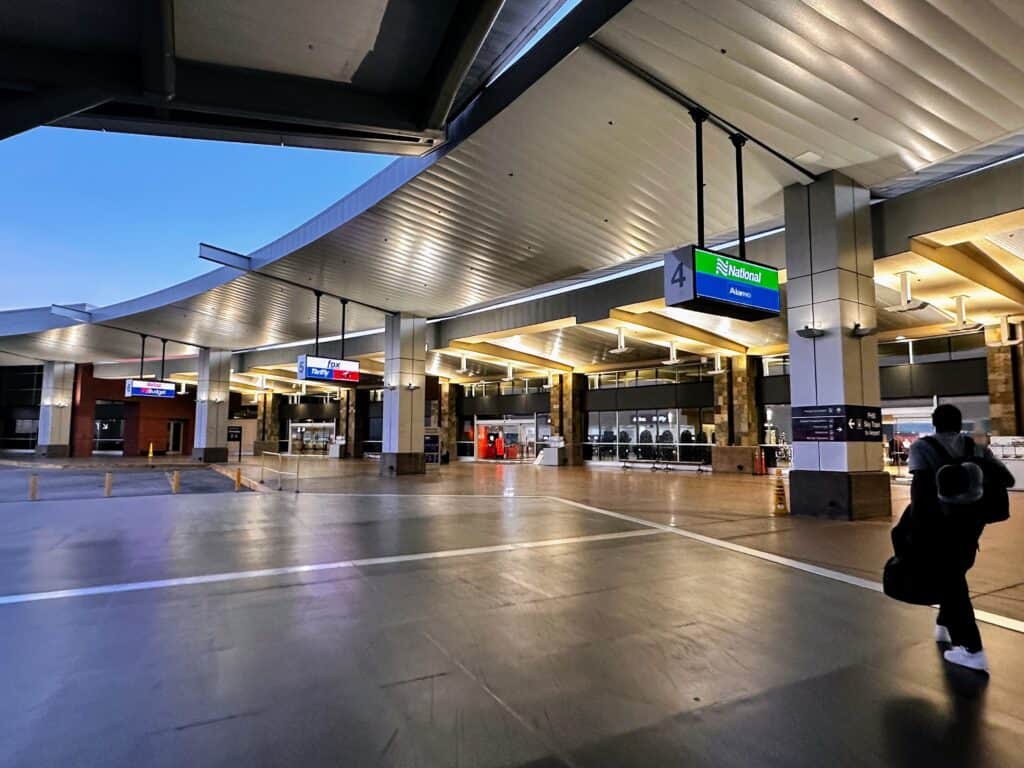




Once You’re at the PHX Car Rental Center
- Walk inside the large center and look for your company’s rental counter.
Good To Know: The rental center has toilets, an information booth, and ATM, and a snack bar.
- Wait in line. I arrived the Dollar/Thrifty counter at 5:27pm on a Friday the week before Christmas and I was 7th in line with 5 agents working. I reached an agent at 5:40pm and was finished with the contract/payments by 5:48pm.
Helpful Tip: You can do online check-in for many of the rental car companies. Sometimes you’ll get an email from the rental company, or you can scan the QR code at the office. Online check-in allows you to walk straight to your car (vs. waiting in line). I chose to wait in line because I wanted to ask the agent some questions about PHX car rentals.
- Walk to your car lot. You may need the escalator or elevator.
- Find your car in its parking space and make sure the license plate matches up with the one in your contract.
- Check for damage and the gas level. Talk to the rental agency’s attendant if needed.
Helpful Tip: Have your phone flashlight handy – the garage is dark and it’s difficult to see scratches and dents on the cars.
- Enter your directions into your GPS/Google Maps.
- Drive to the exit, have your license and contract checked, and go through the AI scanner (checks for scratches, dents, dings – you’ll drive through one when you return the car too).
Returning Your PHX Airport Rental Car
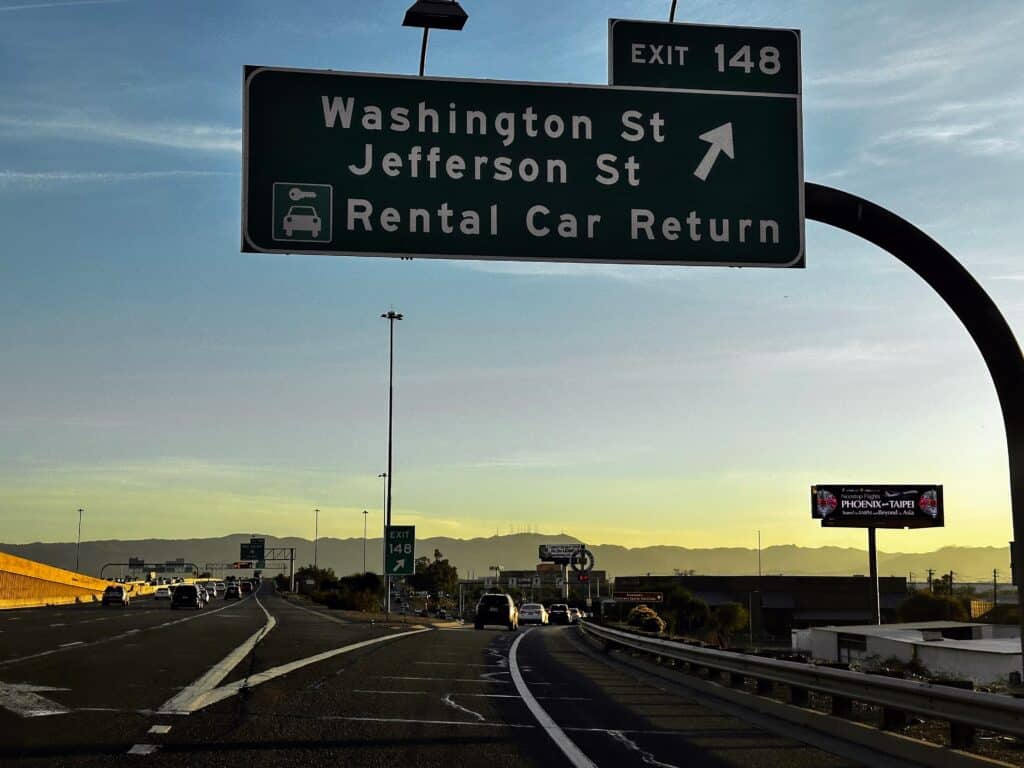
- Follow the signs for Rental Car Return. There are plenty of signs around the airport.
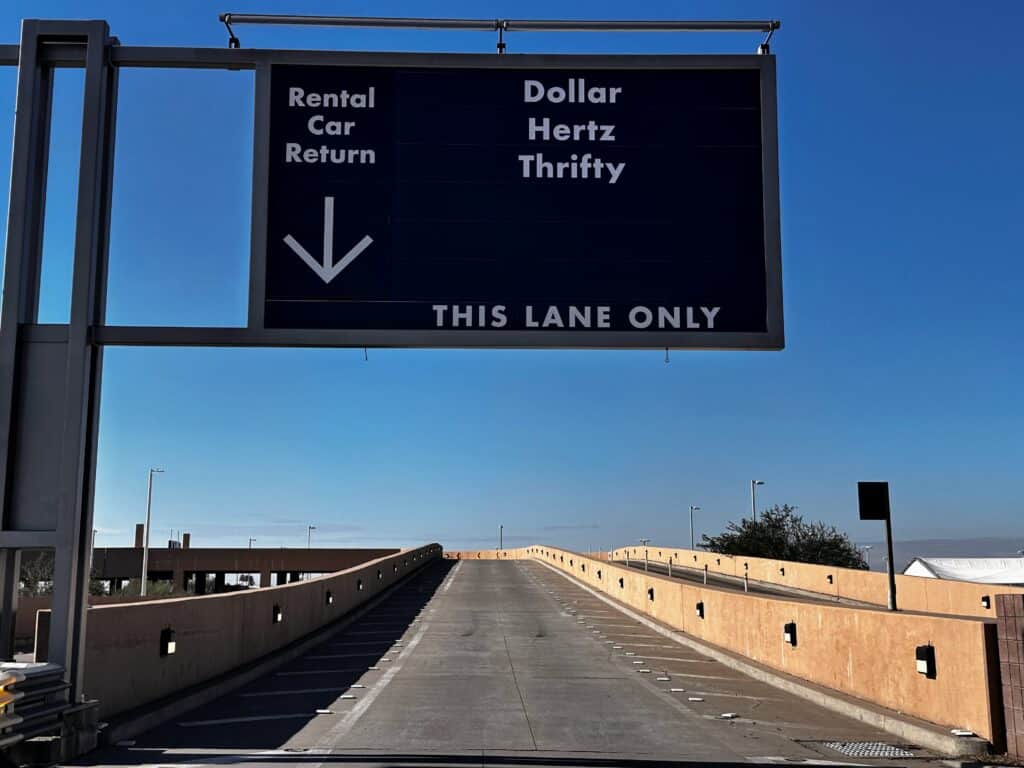
- Choose the lane for your company and follow the lane to get to the drop off.
- Pass through the AI scanner (it looks for damage to the vehicle).
- An attendant will direct you where to park.
- Take a photo of the gas tank gauge and the car mileage. Leave the keys in the car.
Good To Know: You’ll be emailed a receipt. If you’re like me and want your car checked for damage and marked ‘ok’ right away, wait by your car for an attendant to arrive. We had to wait about 5 minutes (he was 2 cars in front of ours when we arrived.
- Take the escalator or elevator up to the Rental Car Center main level and walk outside to the Sky Train.
Good To Know: You can rent a Smarte Carte luggage cart on the rental car return level but there’s a chance there won’t be any carts available. There was only one left when I returned my car.


I hope this helps you with your Phoenix airport car rental! Let me know if you have any other tips to share!


